A KeePass app
that feels at home on iOS.

KeeForge opens your existing .kdbx vaults with Face ID, fills passwords across every app, and never asks for a subscription. It just lives on your phone, the way good tools do.

iOS 17 + iPhone & iPad KDBX 3.1 / 4.0 No tracking, ever
KeeForge database list screen
01
Open source
GPL 3.0. Audit every line.
02
KeePass compatible
Reads & writes standard .kdbx files.
03
Free, forever
No subscription, no ads, no upsells.
04
Face ID + AutoFill
Fills credentials across every app.
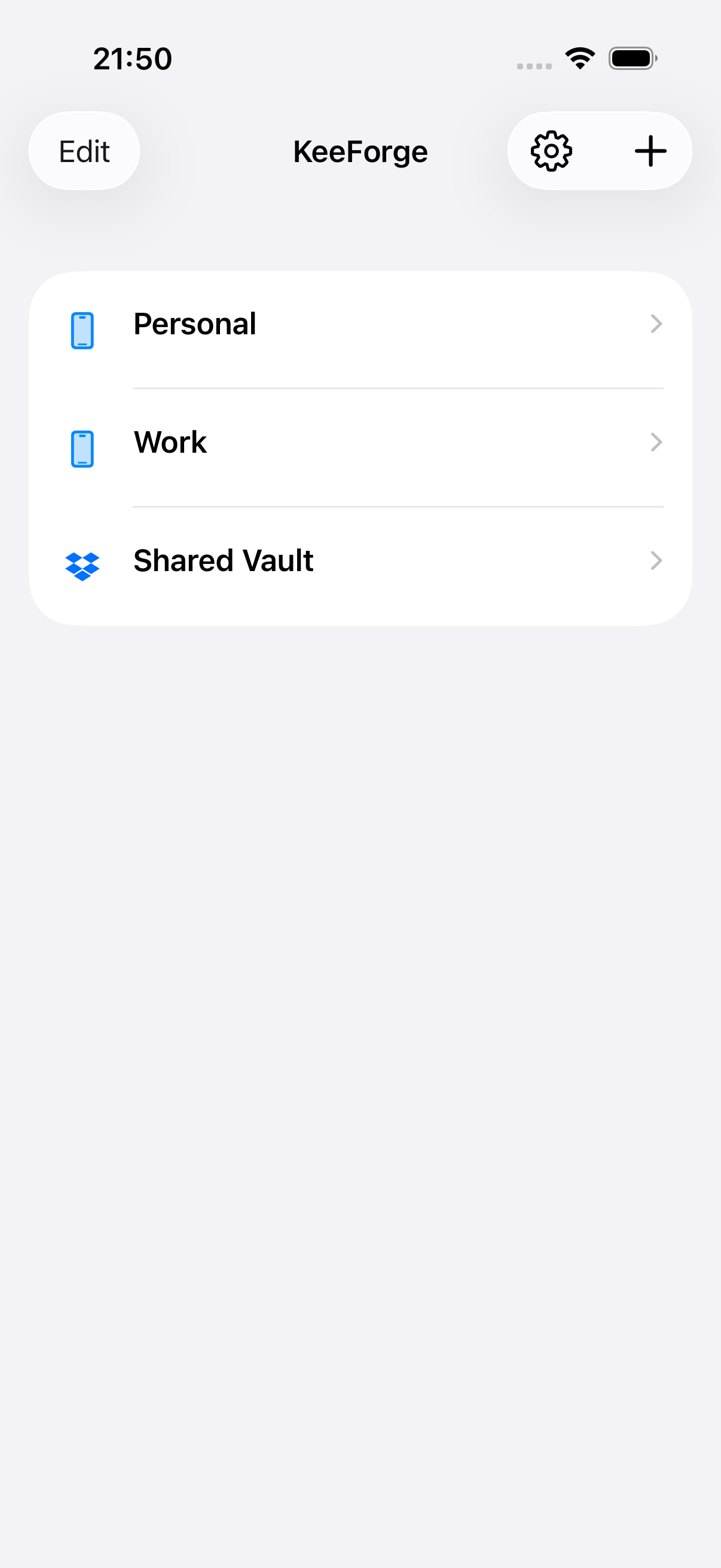
01 · MANY VAULTS

One home screen for every database you have.

Drop your .kdbx files in from Files, Dropbox, or iCloud Drive. KeeForge keeps them side by side so switching between Personal, Work, and Shared takes a single tap.

  • Open as many databases as you like, locally or from the cloud
  • Each vault remembers its own unlock state and key file
  • Tap-to-switch — no closing one to open another
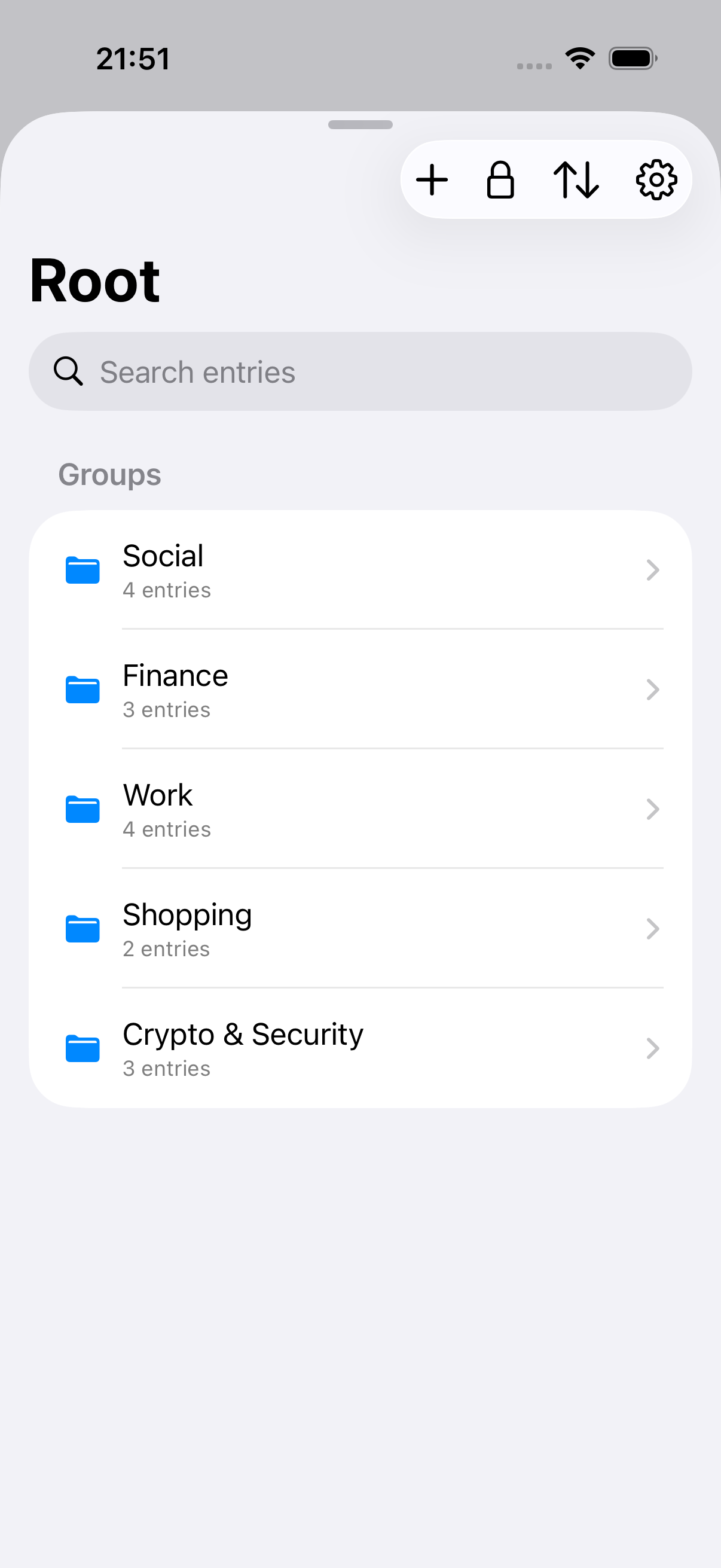
02 · ORGANIZE & FIND

Groups, search, and the entry detail you’d expect.

Browse by folder the way you set up your vault on the desktop. Search every field across every group. Open an entry to copy, reveal, or jump to the URL.

  • Hierarchical groups, just like KeePassXC
  • Full-text search with results count and instant filtering
  • Reveal passwords with a tap, copy with another
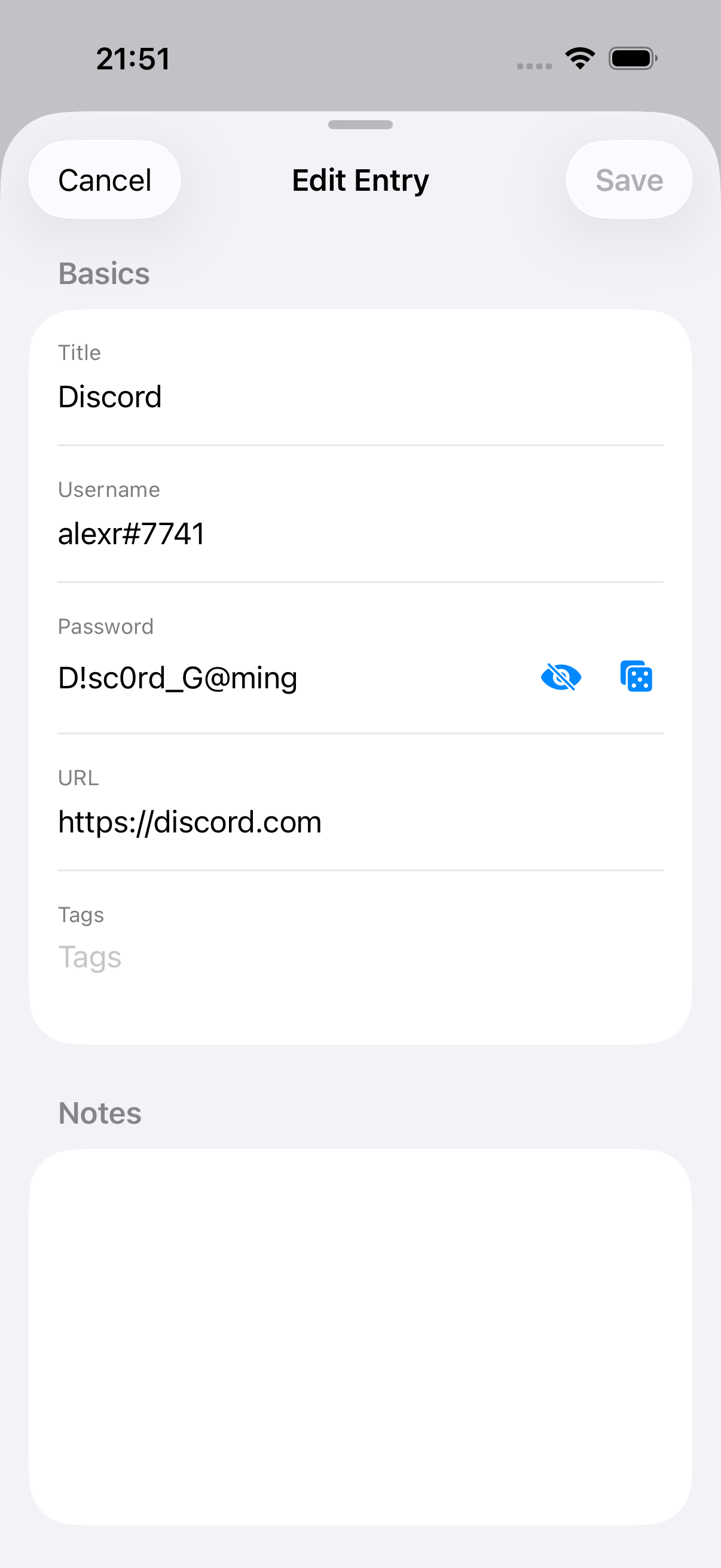
03 · EDIT ON DEVICE

Create and edit entries without leaving your phone.

The full edit sheet: title, username, password, URL, tags, and notes. Generate a strong password with one tap. Save back to the .kdbx, encrypted, the moment you hit done.

  • Built-in generator, configurable like the desktop client
  • Edits write back to the source file — nothing forked or proxied
  • Read-only mode per database when you want it safe
HOW IT COMPARES

Already using a password manager? Here’s where KeeForge fits.

01 / 03

vs iCloud Keychain

  • KeePass .kdbx vaults work with desktop tools (KeePassXC, KeePass 2.x) and across non-Apple devices.
  • Your encrypted database is portable — back it up locally, sync via Dropbox or OneDrive, or store offline.
  • Open source code you can audit, with no telemetry of any kind.
02 / 03

vs 1Password & Bitwarden

  • No subscription, no account, no vendor lock-in. Your vault is a file on your device or your own cloud.
  • Compatible with the open KeePass ecosystem — KeePassXC, Strongbox, KeePassium, Keepass2Android.
  • GPLv3 open source. Every line is auditable, with zero analytics or telemetry.
03 / 03

vs other iOS KeePass clients

  • Native Swift, built for iOS 17+ with current platform features (passkeys, TOTP AutoFill, Files integration).
  • Free forever, all features included — no premium tier, no in-app paywalls (just an optional tip jar).
  • Saves are conflict-detected and auto-backed-up; AutoFill works offline for cloud-backed vaults.
BUILT IN THE OPEN

One developer.
Public commit history.

KeeForge is built by one person, in the open, on GitHub. File an issue, send a pull request, or just read the code before you trust it with your secrets — that’s the whole point.

README.md
FAQ

Questions,
answered plainly.

Yes — free on the App Store, no subscriptions, no ads, no premium tier. If you’d like to support development, star the repo or buy me a coffee.

Any .kdbx file from KeePass 2.x, KeePassXC, or any other compatible client opens directly. Read and write are both supported.

On your device. KeeForge has no server. Sync is your choice: iCloud Drive, Dropbox, or anything you can put a file into.

KeeForge registers as an iOS Credential Provider. Tap a login field anywhere, choose KeeForge, authenticate with Face ID, and your credentials are filled.

Read the code. Build it yourself. Or trust the App Store review process plus a public commit history — that’s more than most password managers offer.